Gallery
40 illusions, each scored 4 or 5 in a blind review. 14 are keepers from export window2-2026-08-clean. The rest scored as well but come from other exports and middle stages, and most have no frame rating yet. Click an image, or Flip, to turn the sheet. A good seed does not promise that the same pair will work on a new one.
Elephant and swan
Giraffe and penguin
Wolf and raven
Horse and wave
Stag and oak
Eagle and phoenix
Wolf and raven
Dog and sloth
Deer and turtle
Squirrel and pelican
Moose and butterfly
Kingfisher and wisteria
Elephant and swan
Wolf and raven
Eagle and phoenix
Heron and swan
Octopus and camel
Penguin and bat
Wolf and raven
Moose and butterfly
Giraffe and penguin
Stag and oak
Squirrel and pelican
Wolf and raven
Elephant and swan
Moose and butterfly
Deer and turtle
Wolf and raven
Giraffe and penguin
Eagle and phoenix
Elephant and swan
Wolf and raven
Giraffe and penguin
Bear and salmon
Eagle and phoenix
Wolf and raven
Elephant and swan
Moose and butterfly
Eagle and phoenix
Wolf and raven
What you are looking at
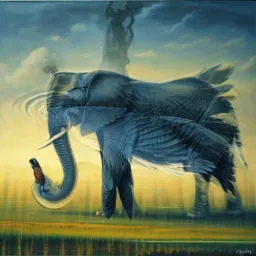
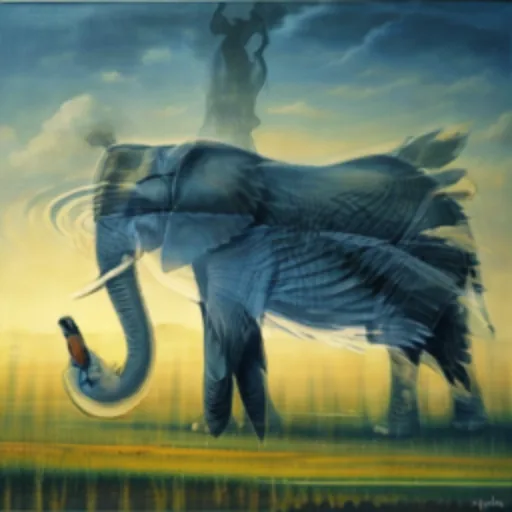
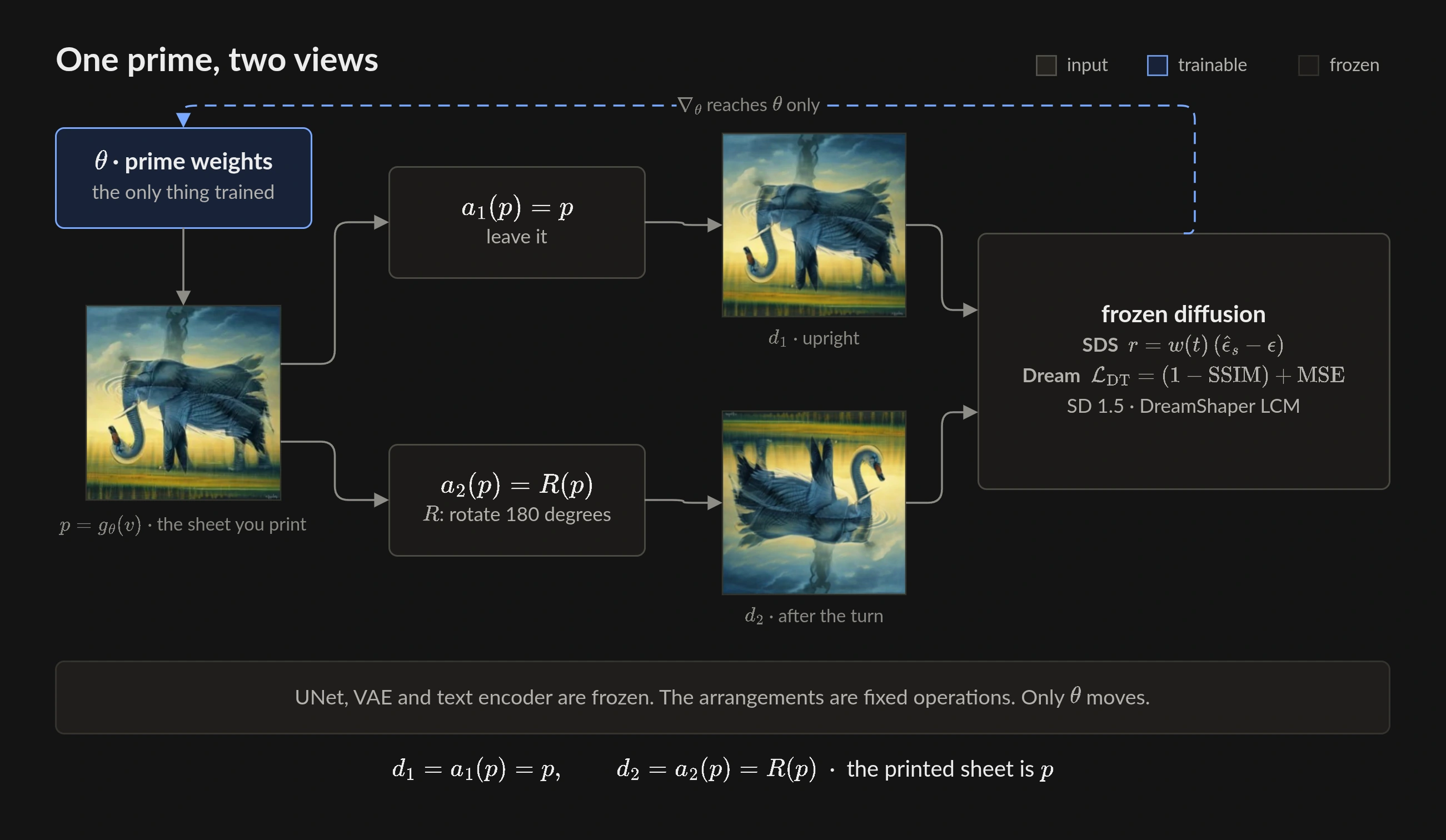
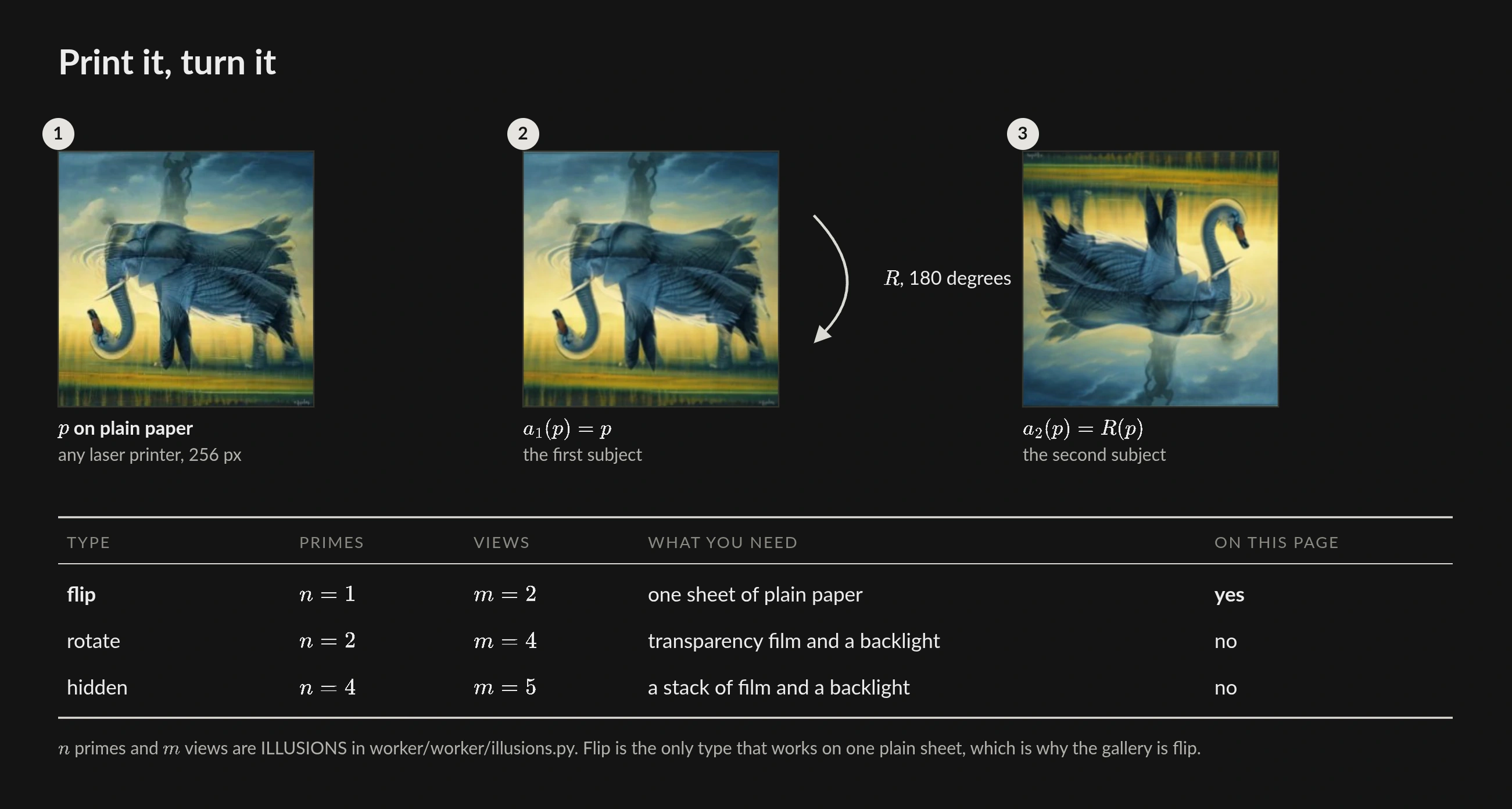
A flip illusion is one printable picture. Upright, it shows subject A. Turn the sheet 180 degrees. It shows subject B. The prime is the file for the printer. The two views on this page show that same sheet before and after the turn.
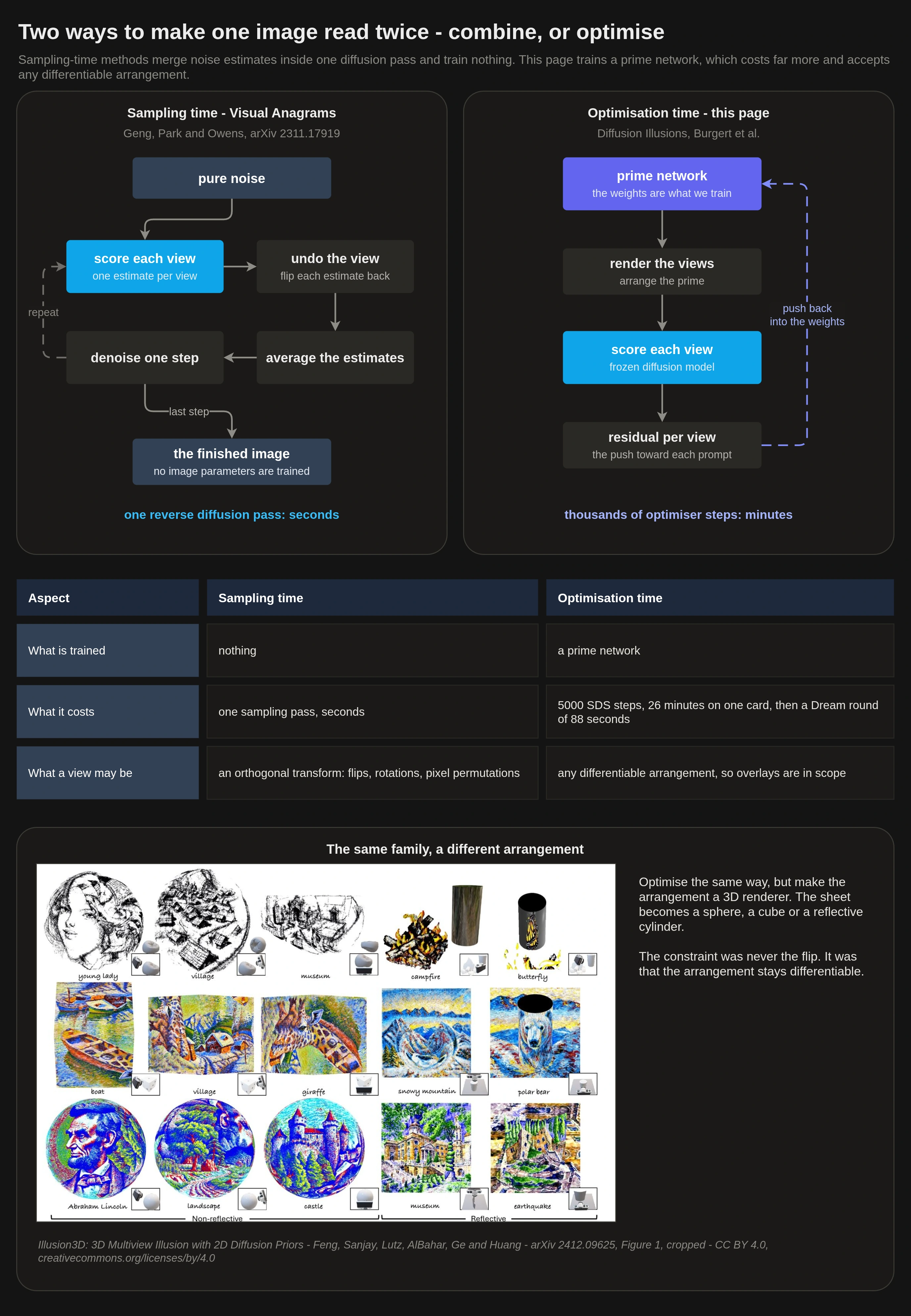
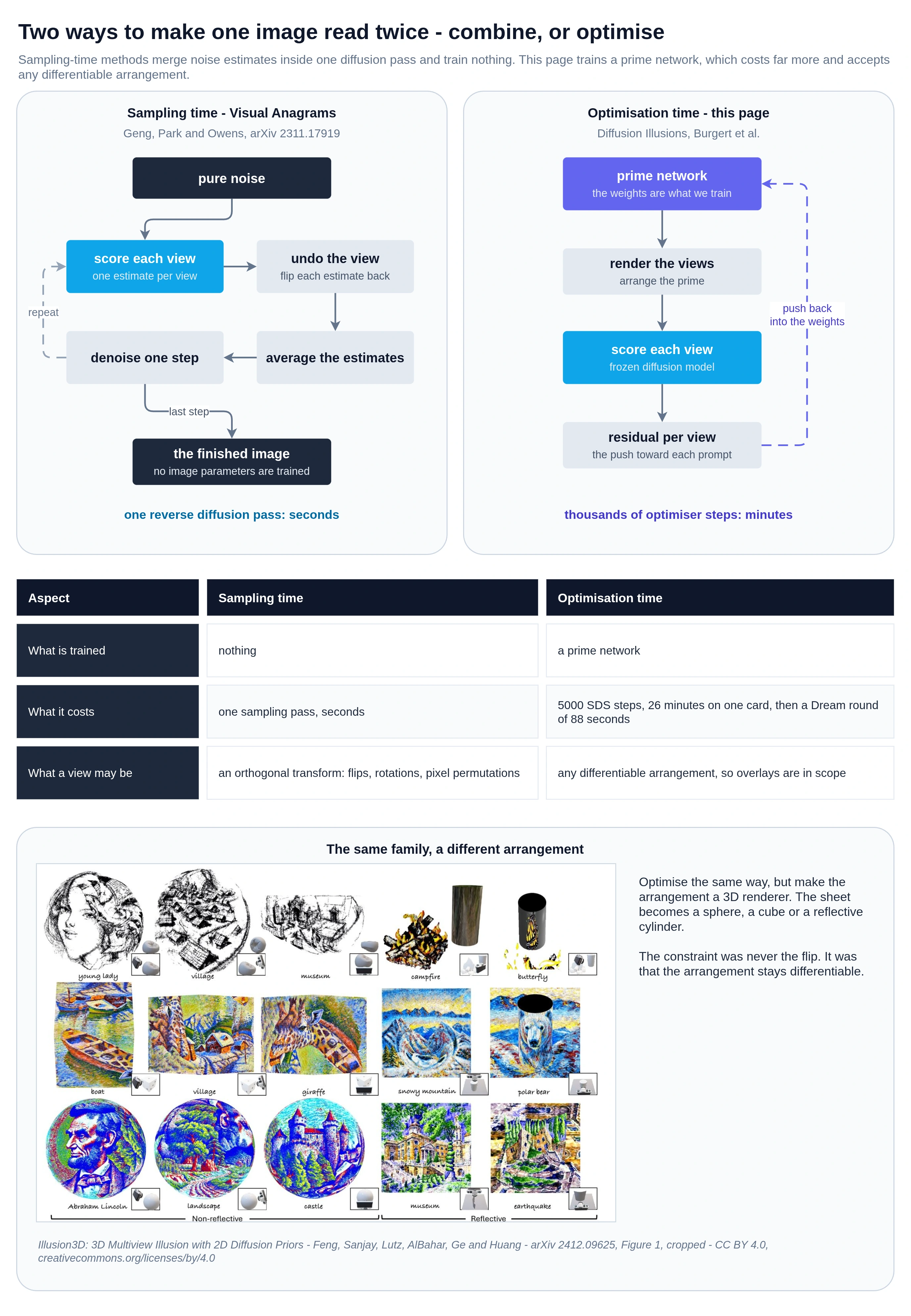
The method is Diffusion Illusions (Burgert et al.). A frozen image model scores how each view matches its prompt. Only one small network trains. It paints the prime. The large model stays frozen.
This page is the public study of that method on our worker stack. A typeset paper can follow. You can read this version now.
How the optimizer is built
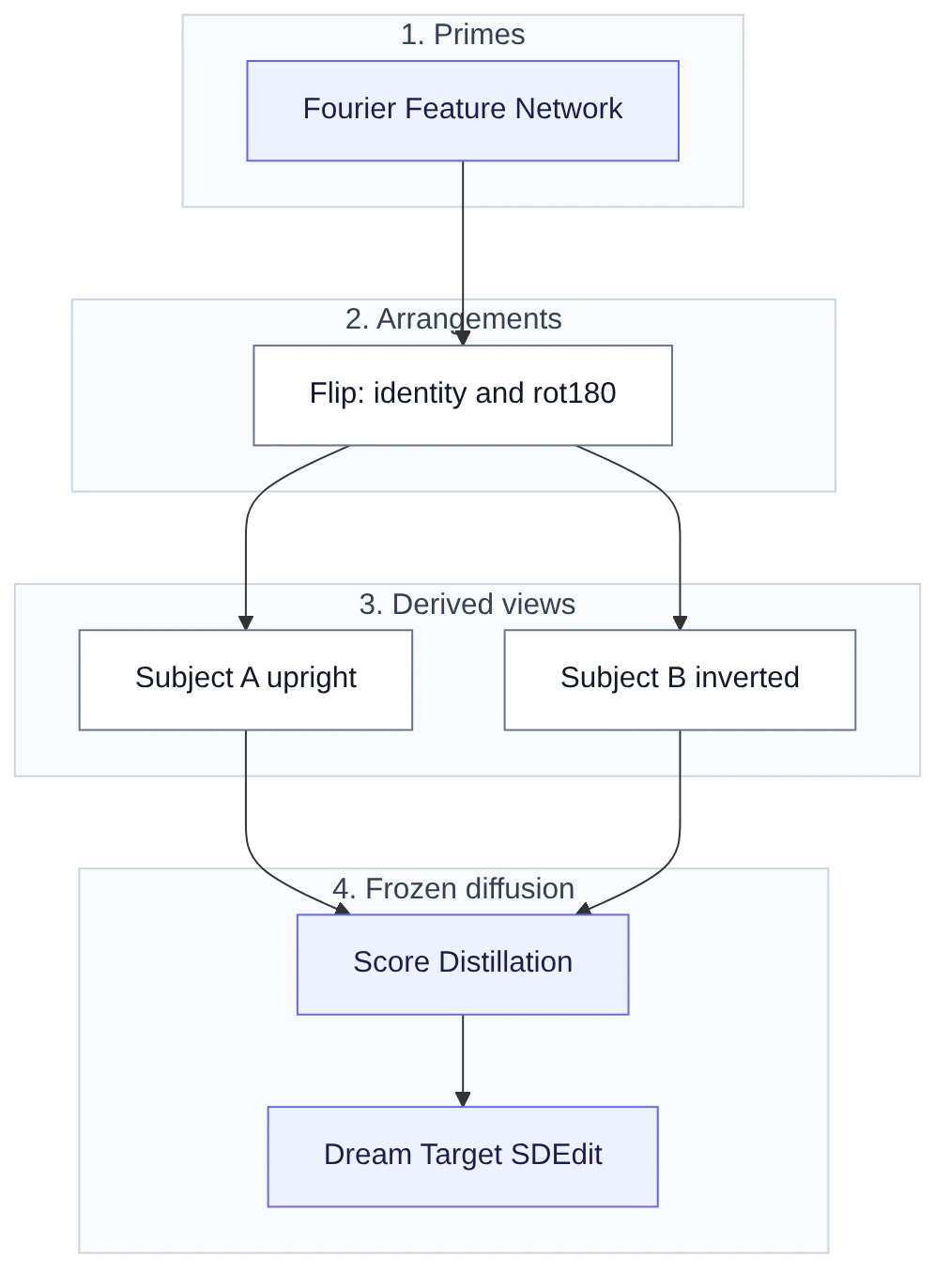
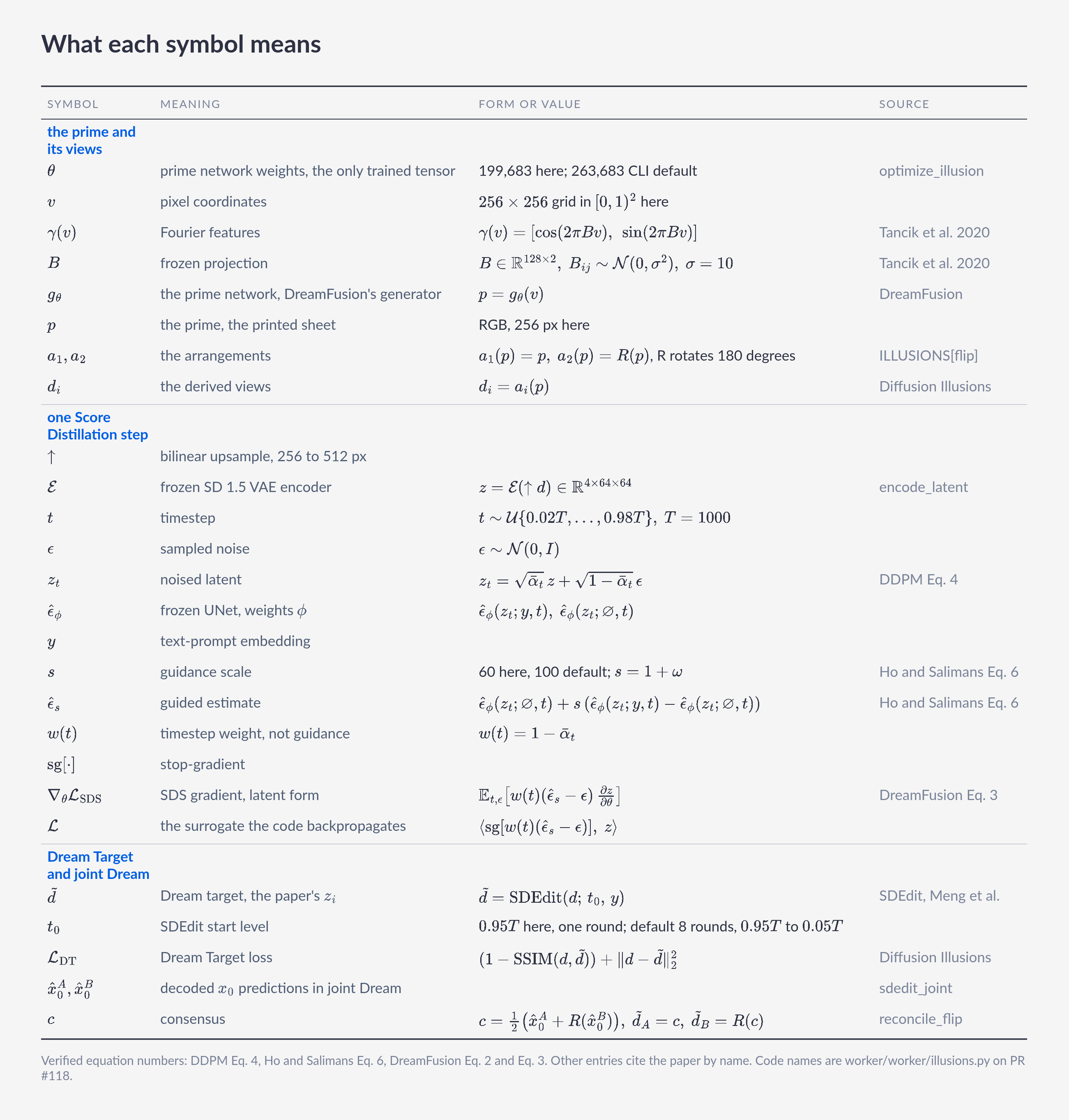
The optimizer has four parts. A prime network paints each printable image. Fixed arrangements turn primes into derived views. A frozen diffusion model scores those views. Only the prime network trains. In code, the parts have these names: FourierFeatureNetwork, the ILLUSIONS flip arrangement, and DiffusionAdapter. The paper calls them prime images, arrangement processes, and the frozen model.
Flip uses one prime and a 180-degree turn. Rotate and hidden types stack transparencies. This page shows flip only. We measured the flip type.
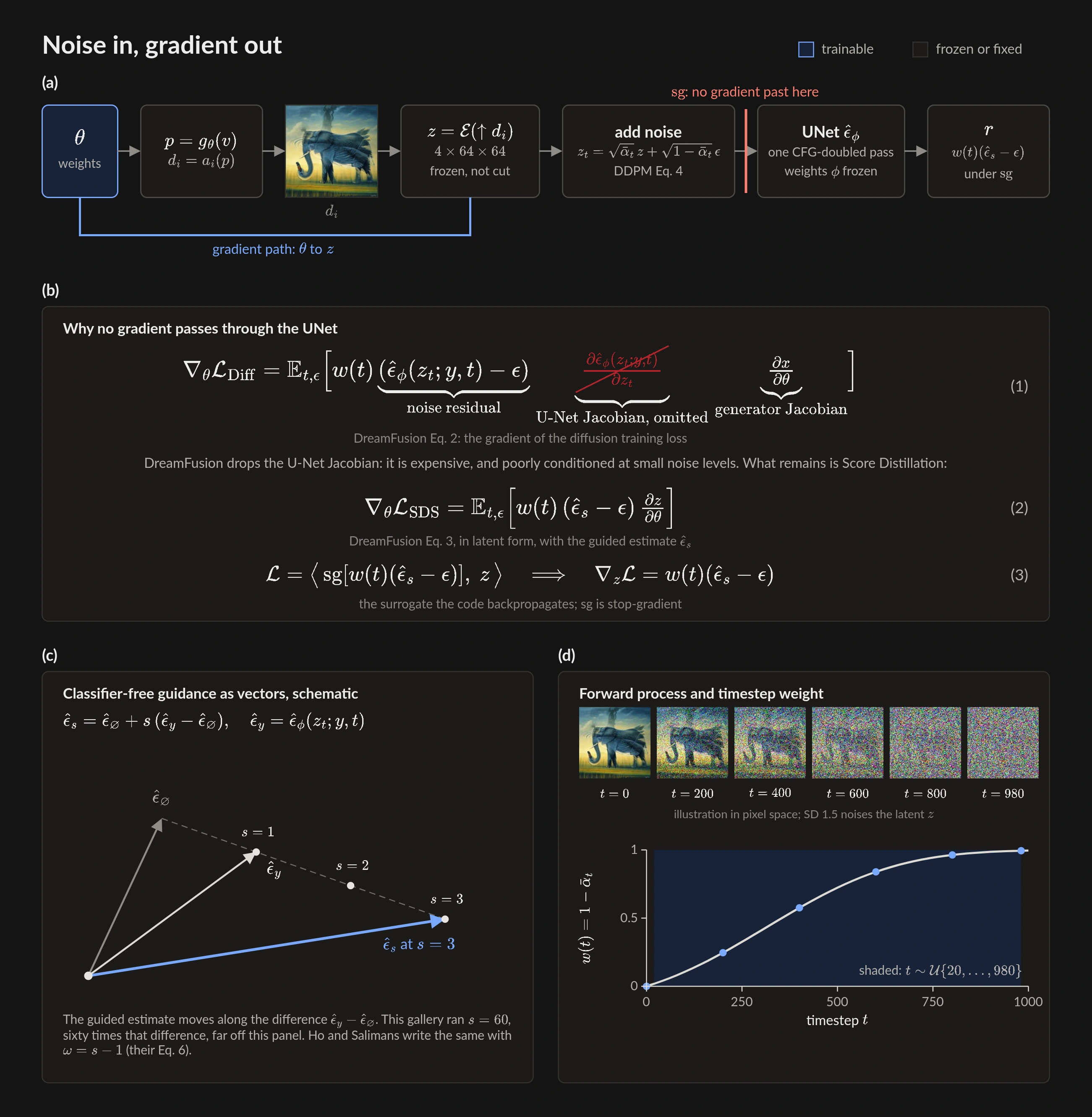
Gradients never flow through the UNet. The large model stays frozen. First comes Score Distillation. Then comes Dream Target.
The prime is a small network
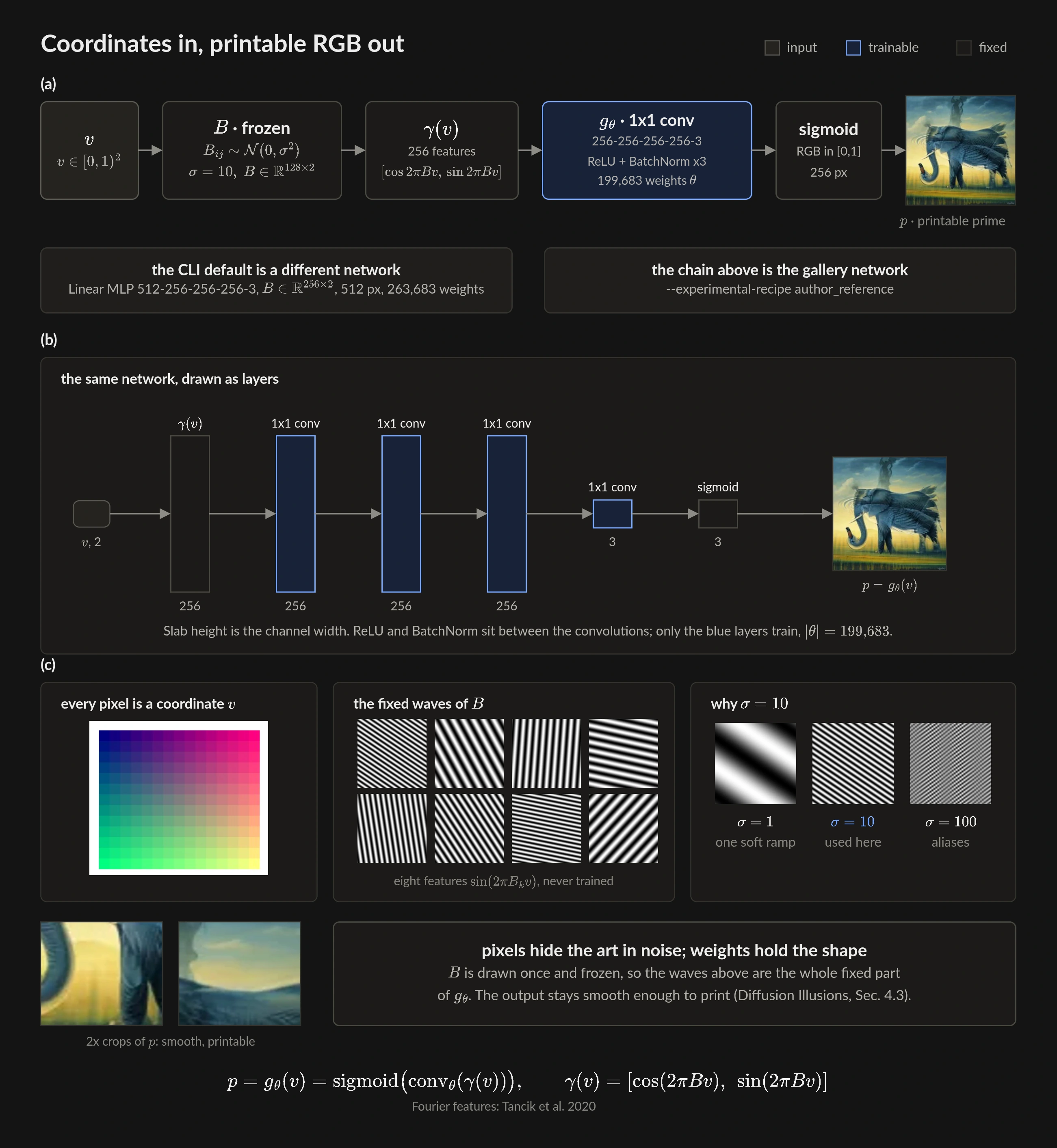
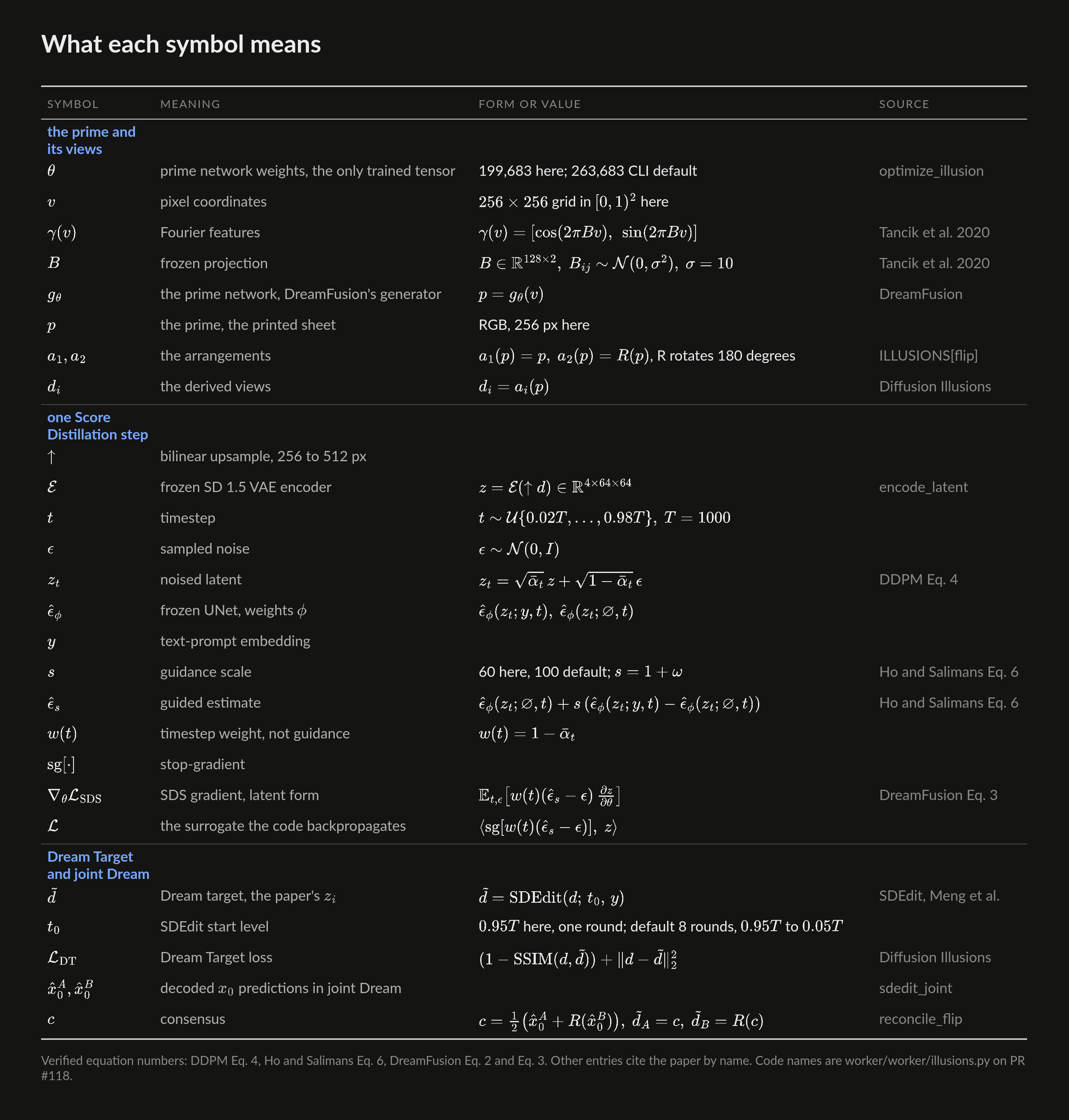
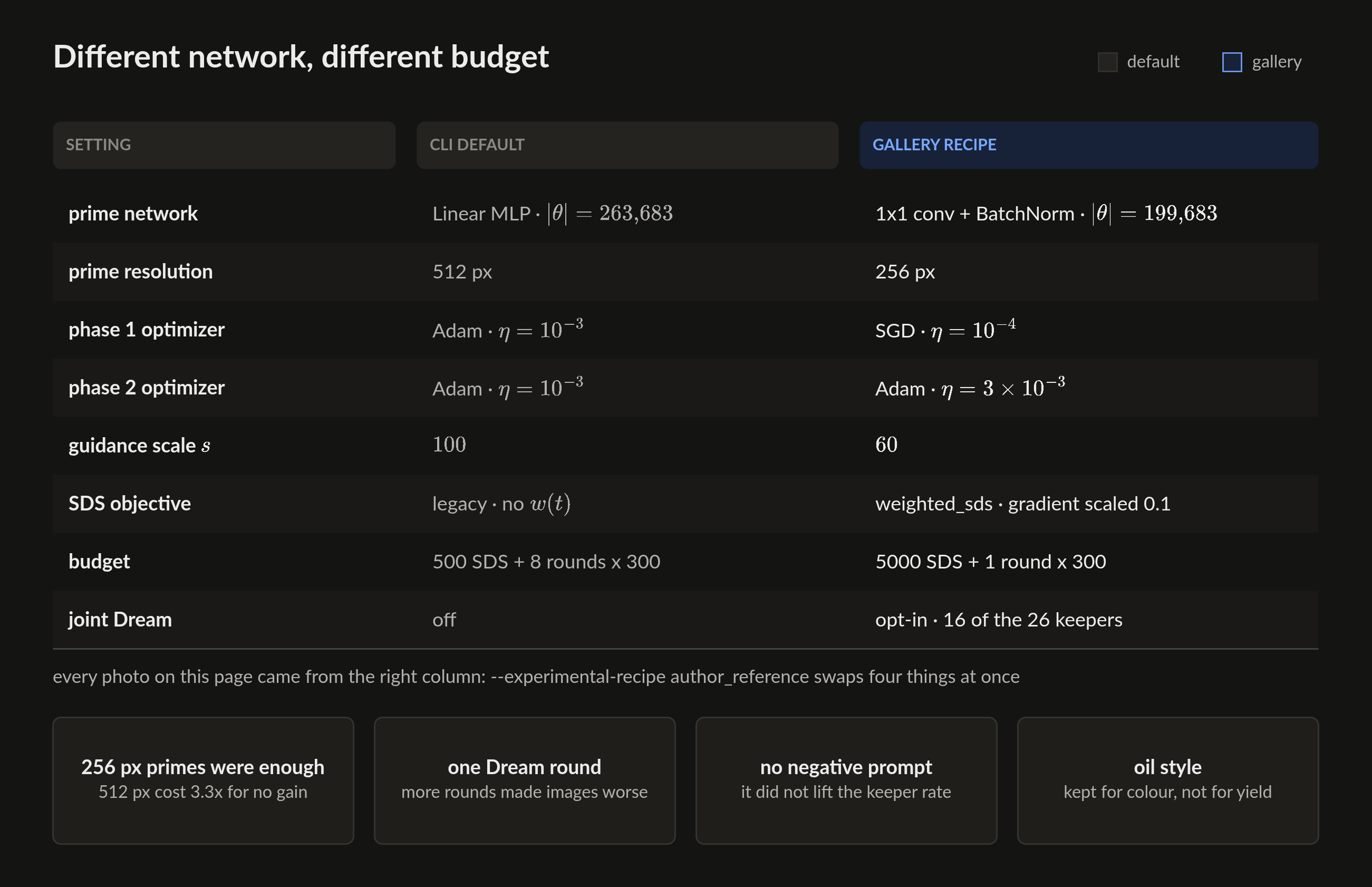
Each prime is a Fourier Feature Network. Pixel coordinates go through a fixed random projection, then sine and cosine, then a small network, then sigmoid RGB. The default network uses 256 Fourier features at scale 10. Its MLP is 512-256-256-256-3, which is 263,683 weights, and it renders at 512 px. Every image on this page came from the research network instead. That one uses 128 features, four 1x1 convolutions with BatchNorm, 199,683 weights, and it renders at 256 px. Only these weights move.
The paper shows why this matters. Pixel optimization hides the signal in high frequencies. A printer cannot hold that noise. Network-weight optimization keeps the signal in printable structure.

Score Distillation
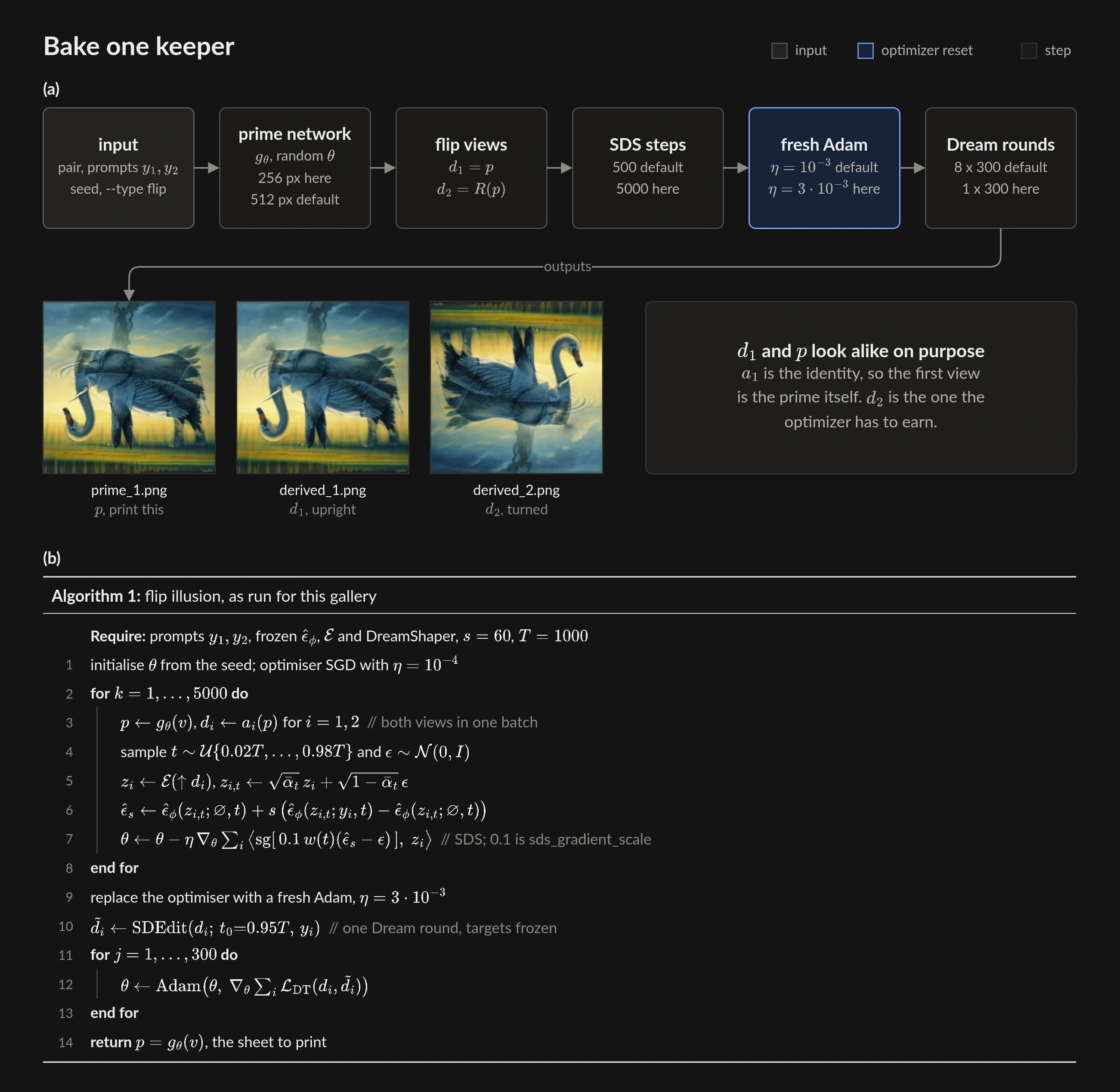
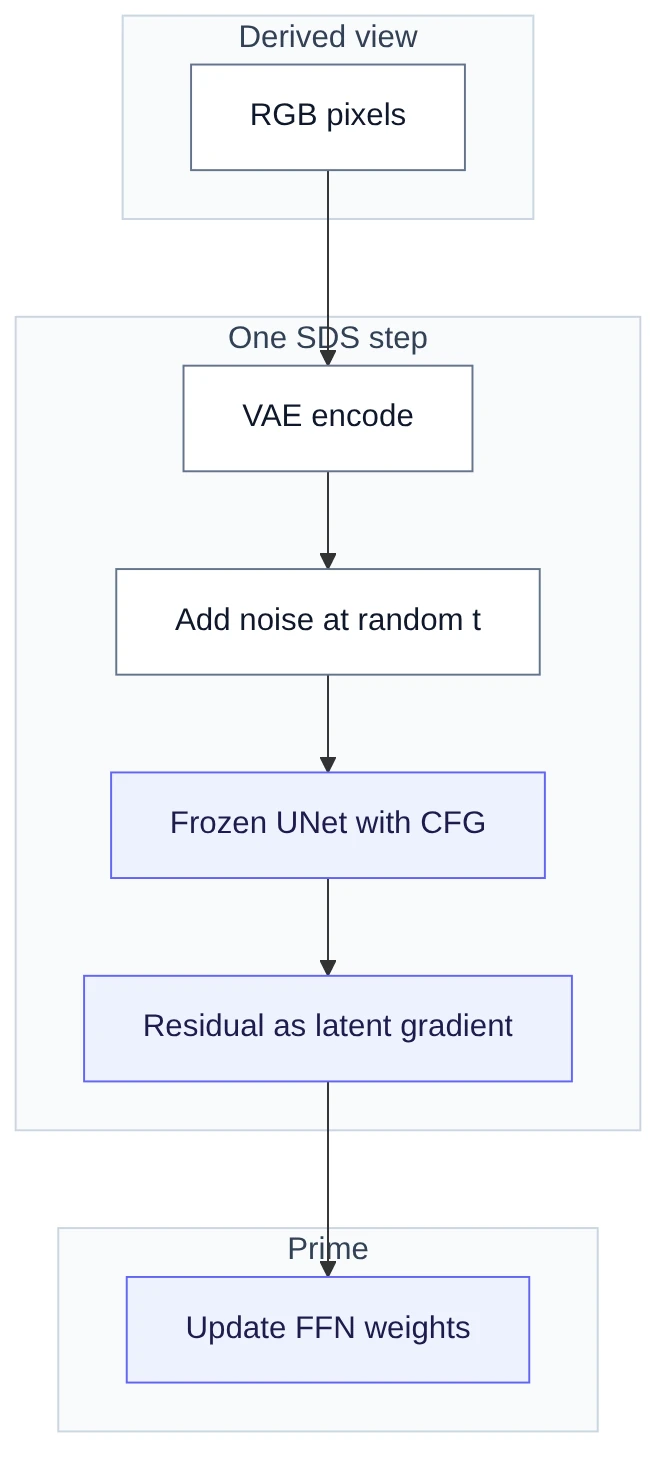
Phase 1 uses frozen Stable Diffusion 1.5. The step encodes each derived view to latents. It adds noise at a random timestep. The frozen UNet scores the noised latents with high classifier-free guidance. One doubled UNet forward covers all views, unless the view batch size splits it into chunks. The default guidance is 100. This gallery ran 60. Timesteps are integers between 2 percent and 98 percent of the schedule.
The step applies the guided noise residual as a gradient on those latents. That gradient updates only the prime network. The paper printed pseudocode has no gradient path. The authors' code uses residual-as-gradient. Every SDS implementation uses that form.
Two phases
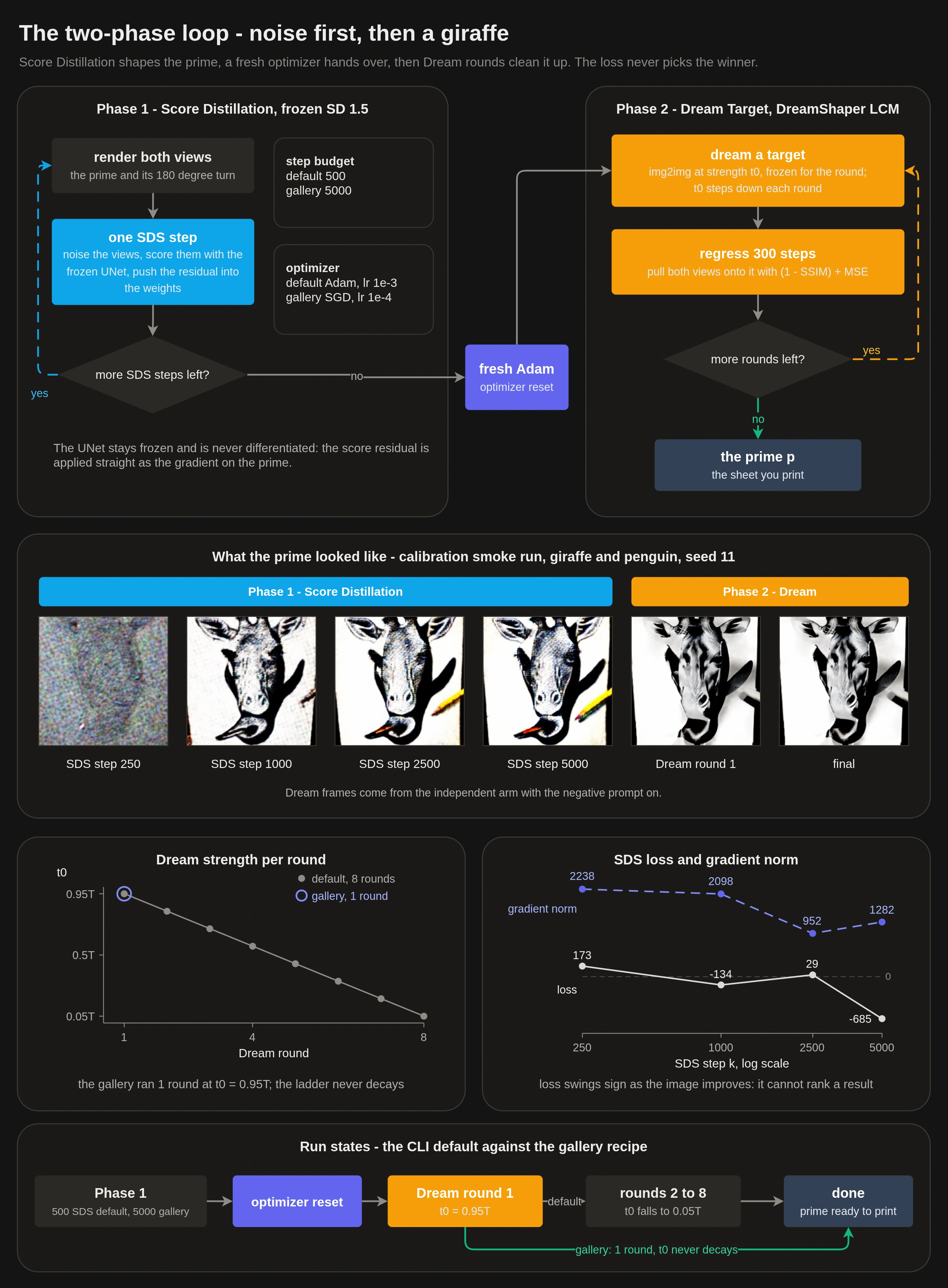
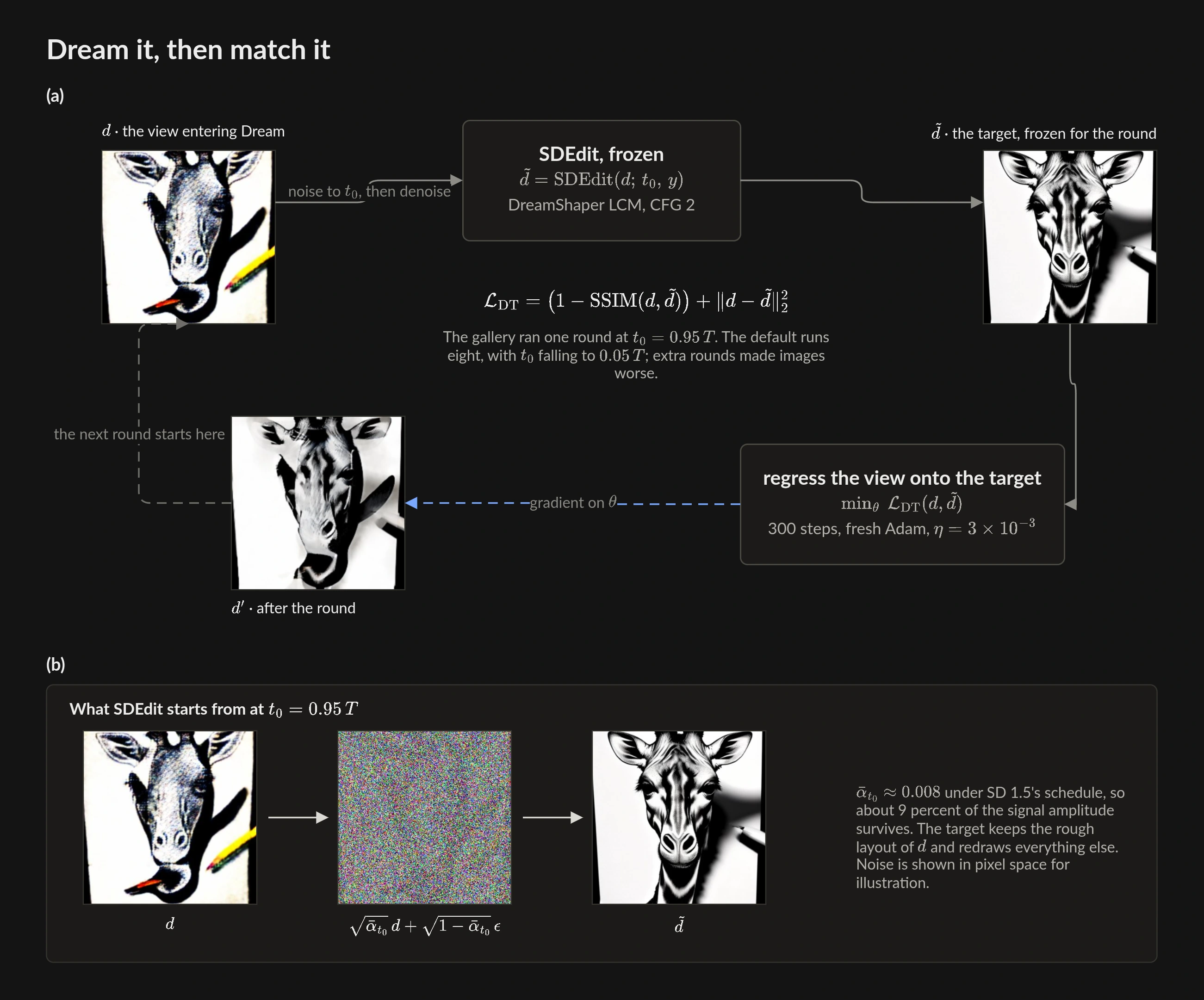
Phase 2 is Dream Target. It uses DreamShaper LCM. Each round asks img2img for a cleaner target. Then SSIM and MSE pull the derived views toward that target. Strength starts high and decays to a light polish.
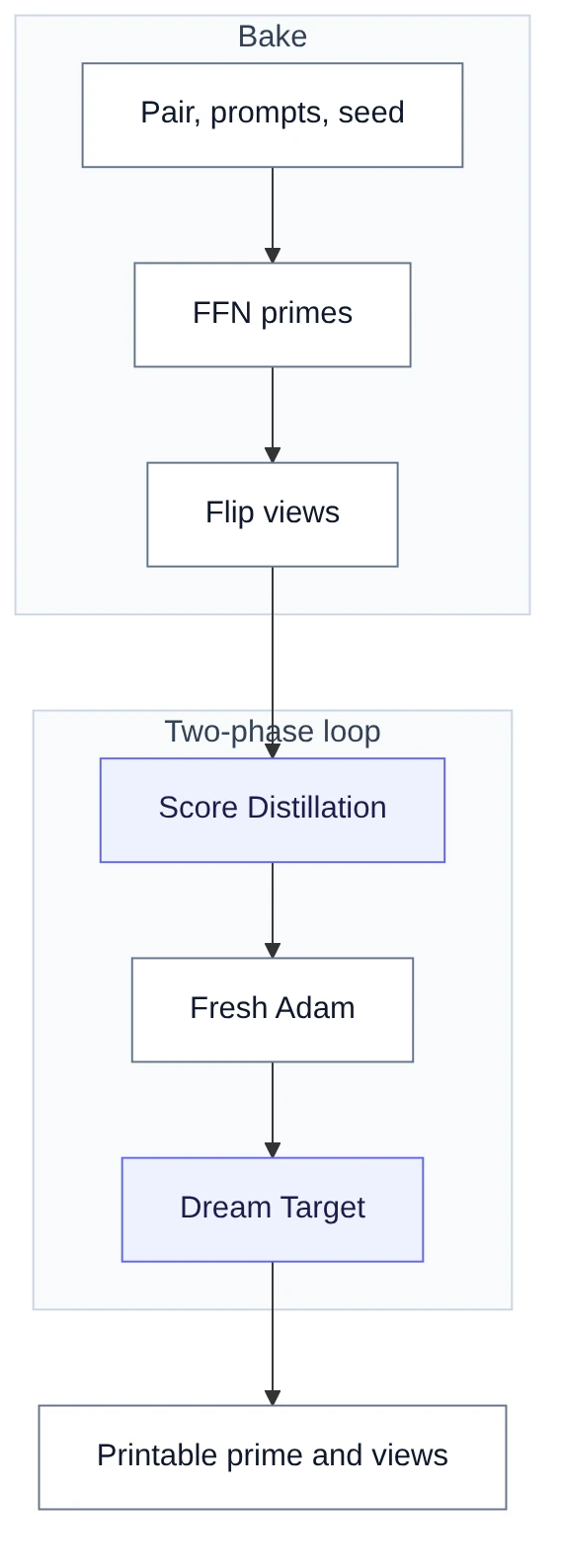
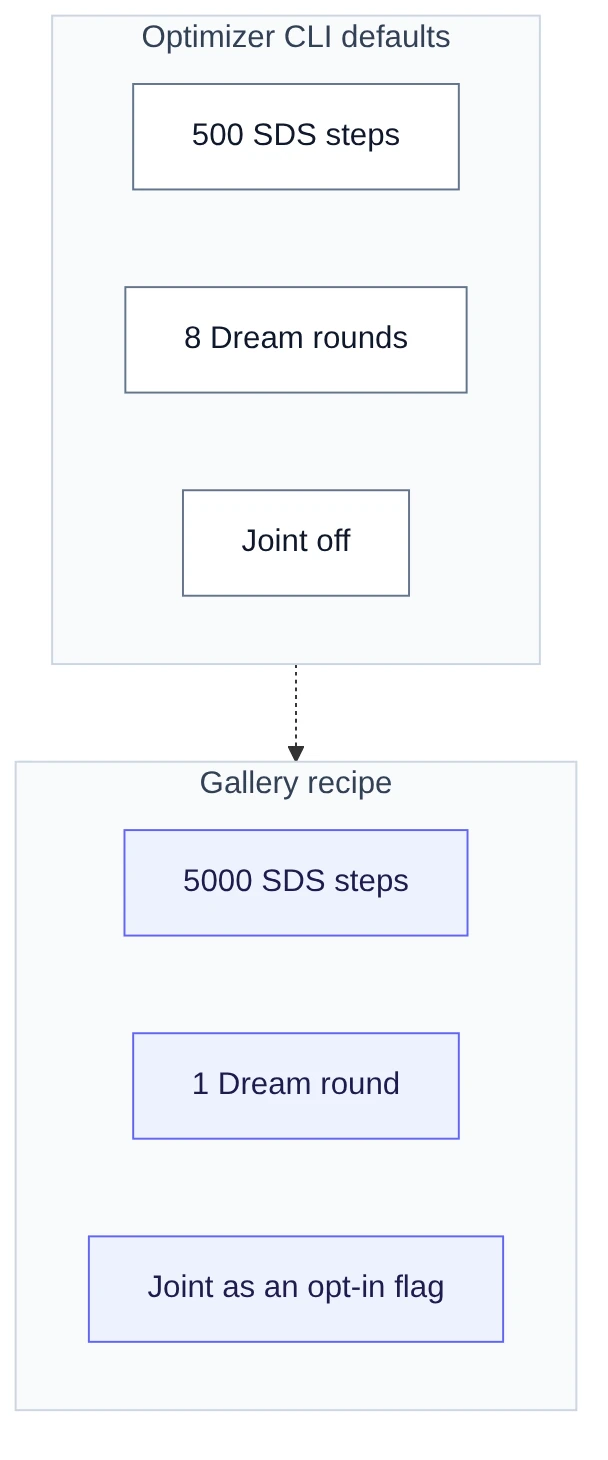
The optimizer CLI defaults are 500 SDS steps and 8 Dream rounds. We baked the gallery with a research recipe. It uses 5000 SDS steps and 1 Dream round. That recipe is not only a step budget. It also swaps the prime network, the phase 1 optimizer, the guidance, and the SDS objective. Read every number on a figure with that in mind.
The loop creates a fresh Adam optimizer at the phase boundary. SDS gradients are about four orders of magnitude larger than Dream Target gradients. Without the reset, phase 2 moved loss by under 2 percent per round. With the reset, loss moved 44 to 60 percent. Those figures come from a short flip run. The run used 250 SDS steps and 4 Dream Target rounds of 150 steps each.


Joint Dream
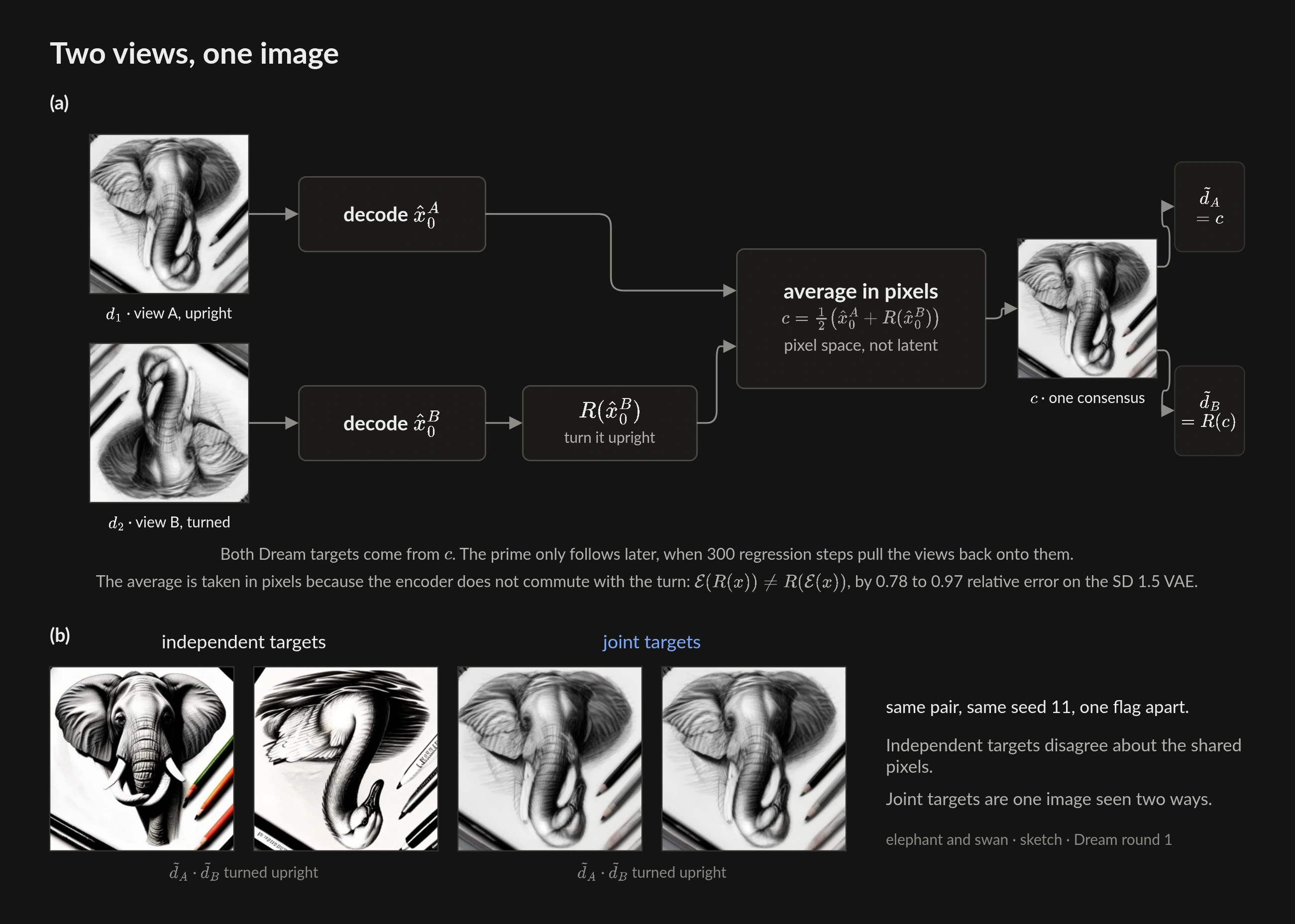
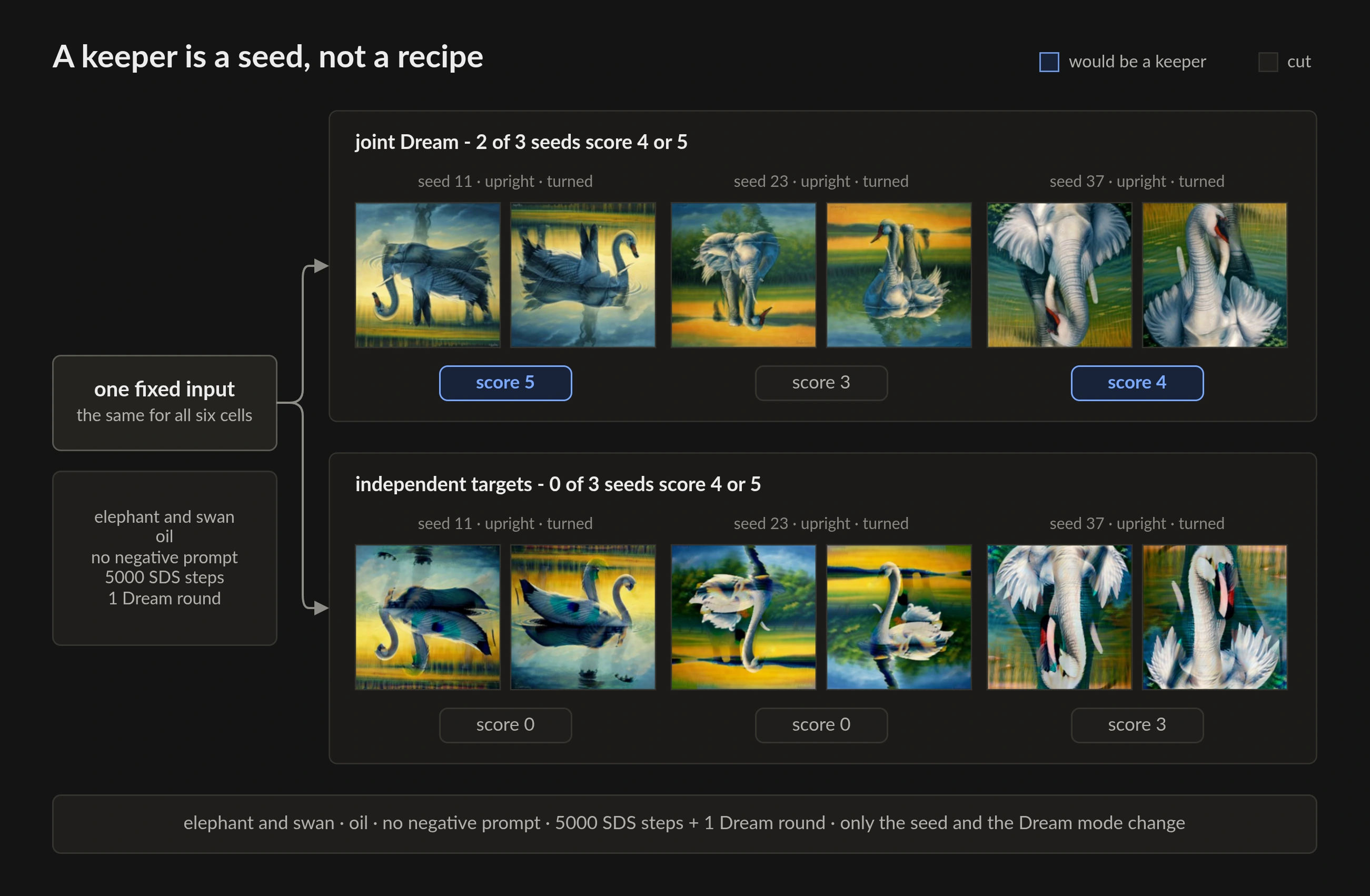
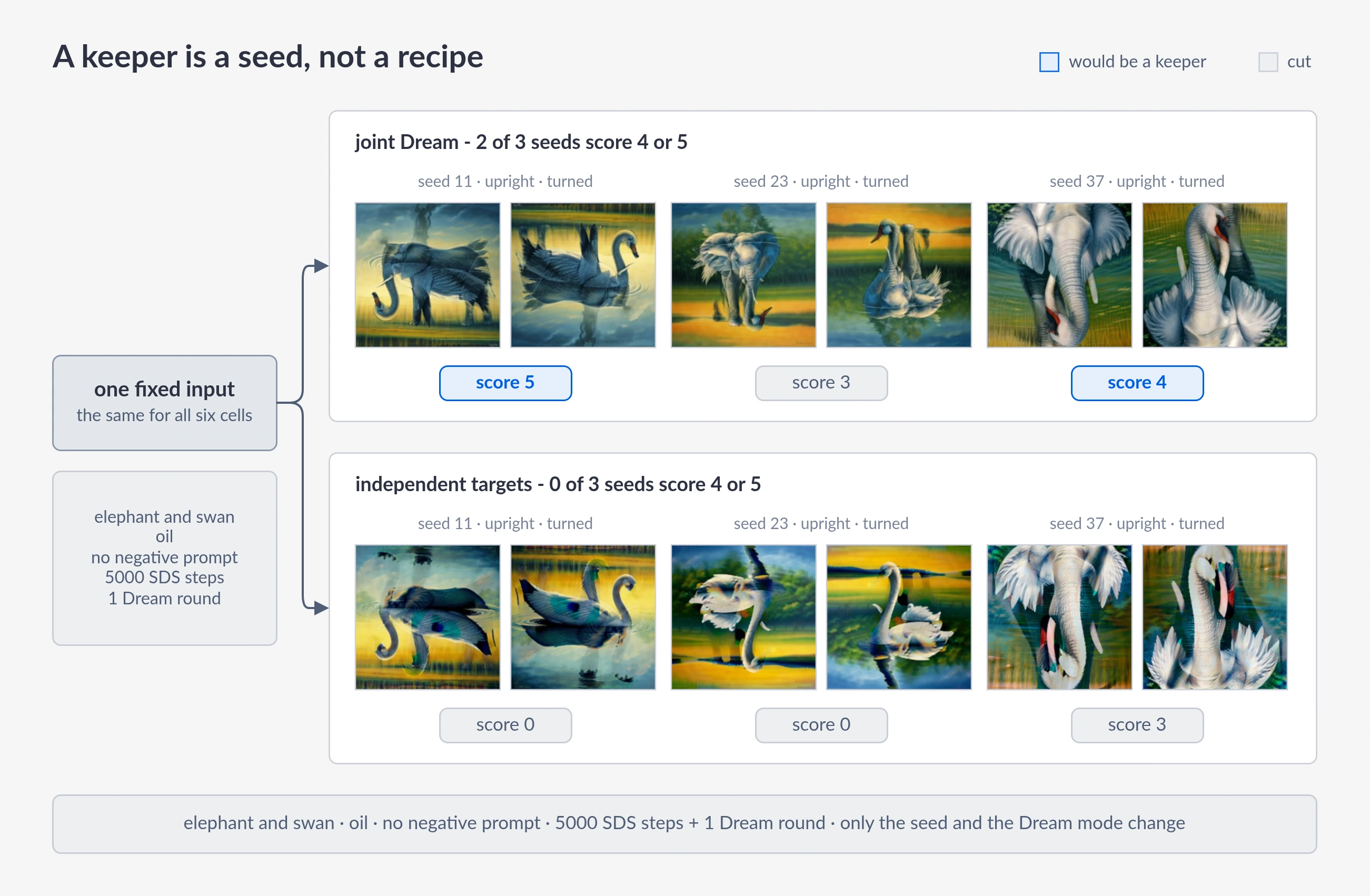
Independent Dream Targets can fight over the same pixels. Joint Dream denoises both flip views together. It averages them in the upright frame. Then it steps from that consensus. The two views become two orientations of one image. Pixel space is required for this step because the SD 1.5 VAE does not commute with a 180-degree turn.
The loop averages in pixel space. The SD 1.5 VAE does not commute with a 180-degree turn in latent space. Joint Dream is an opt-in flag. It is not the product default. It can rescue a pair whose shapes can be one picture. It can also collapse a pair whose subjects cannot share one picture.

What we actually measured
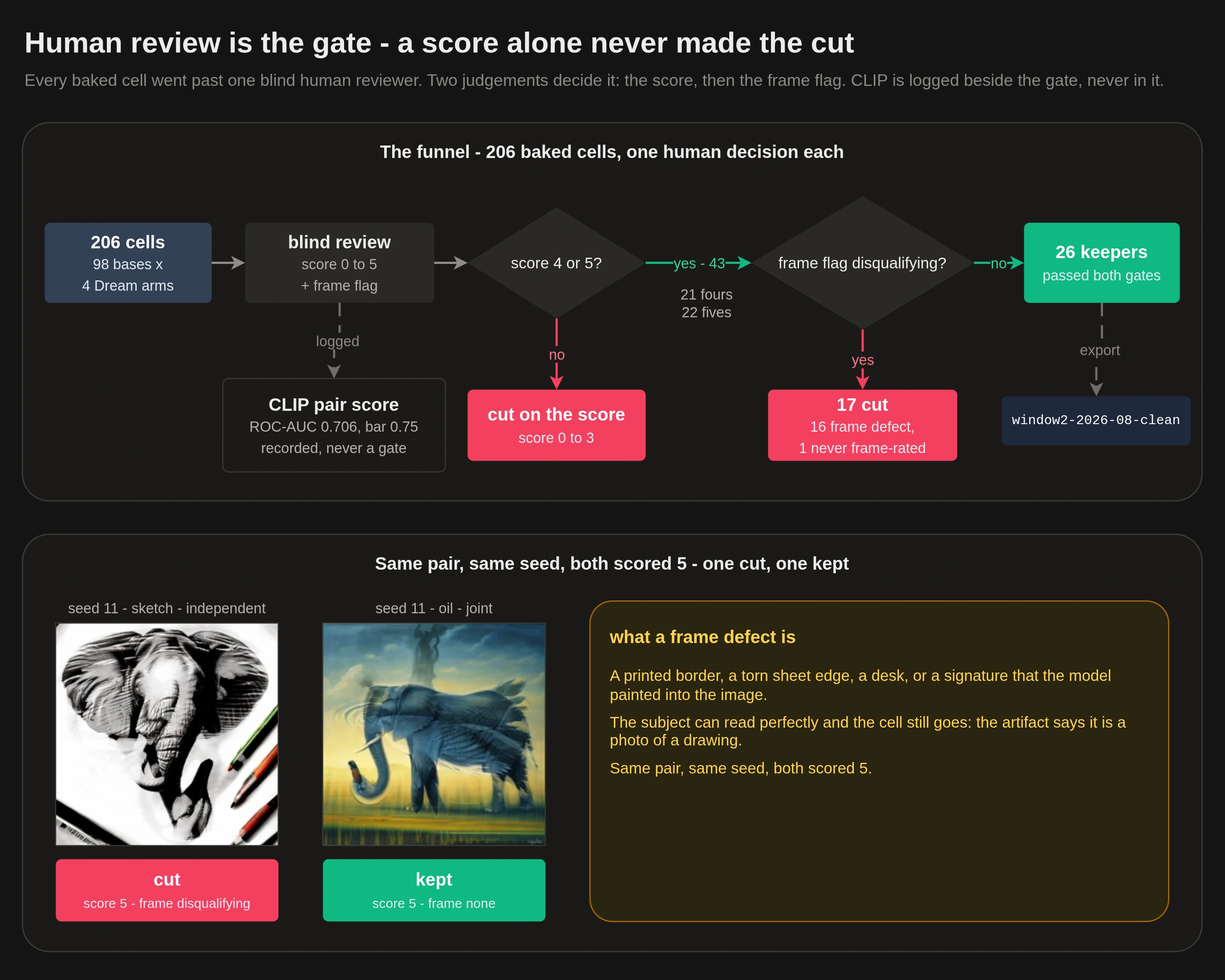
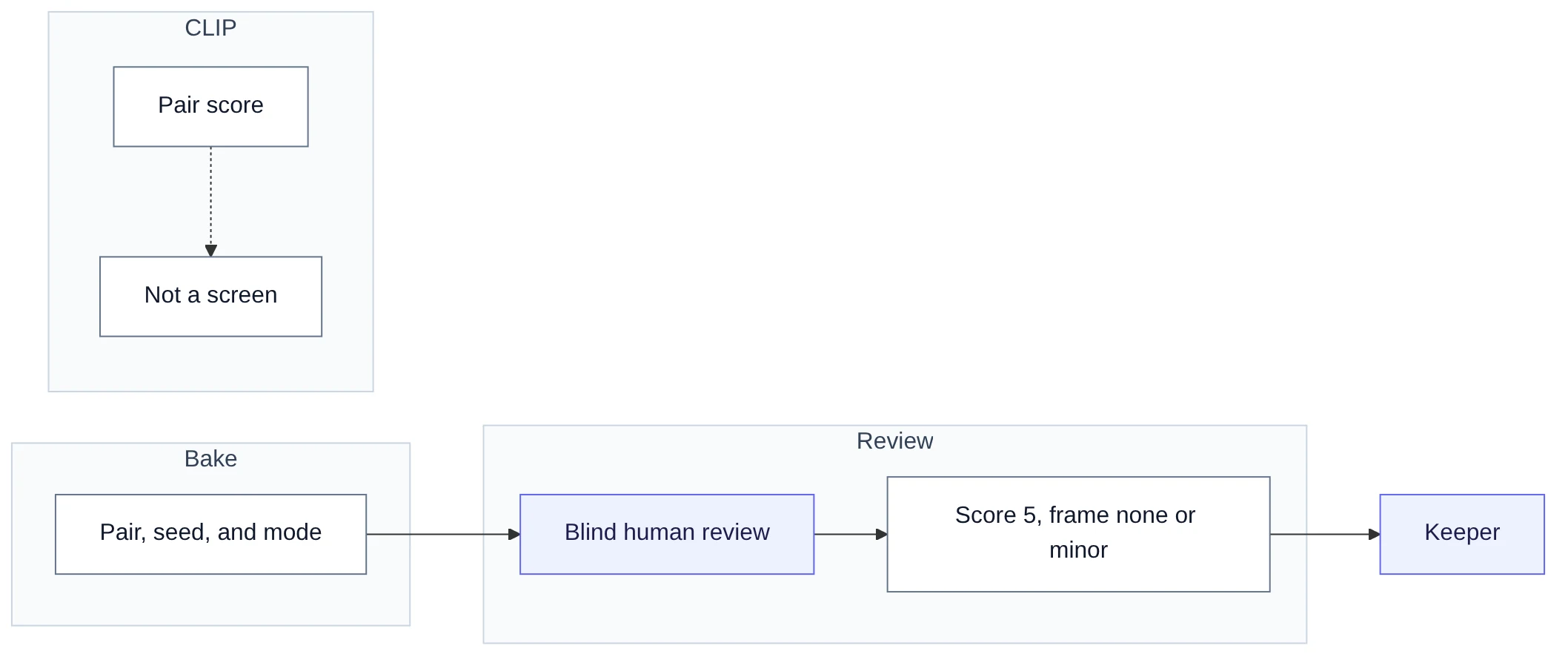
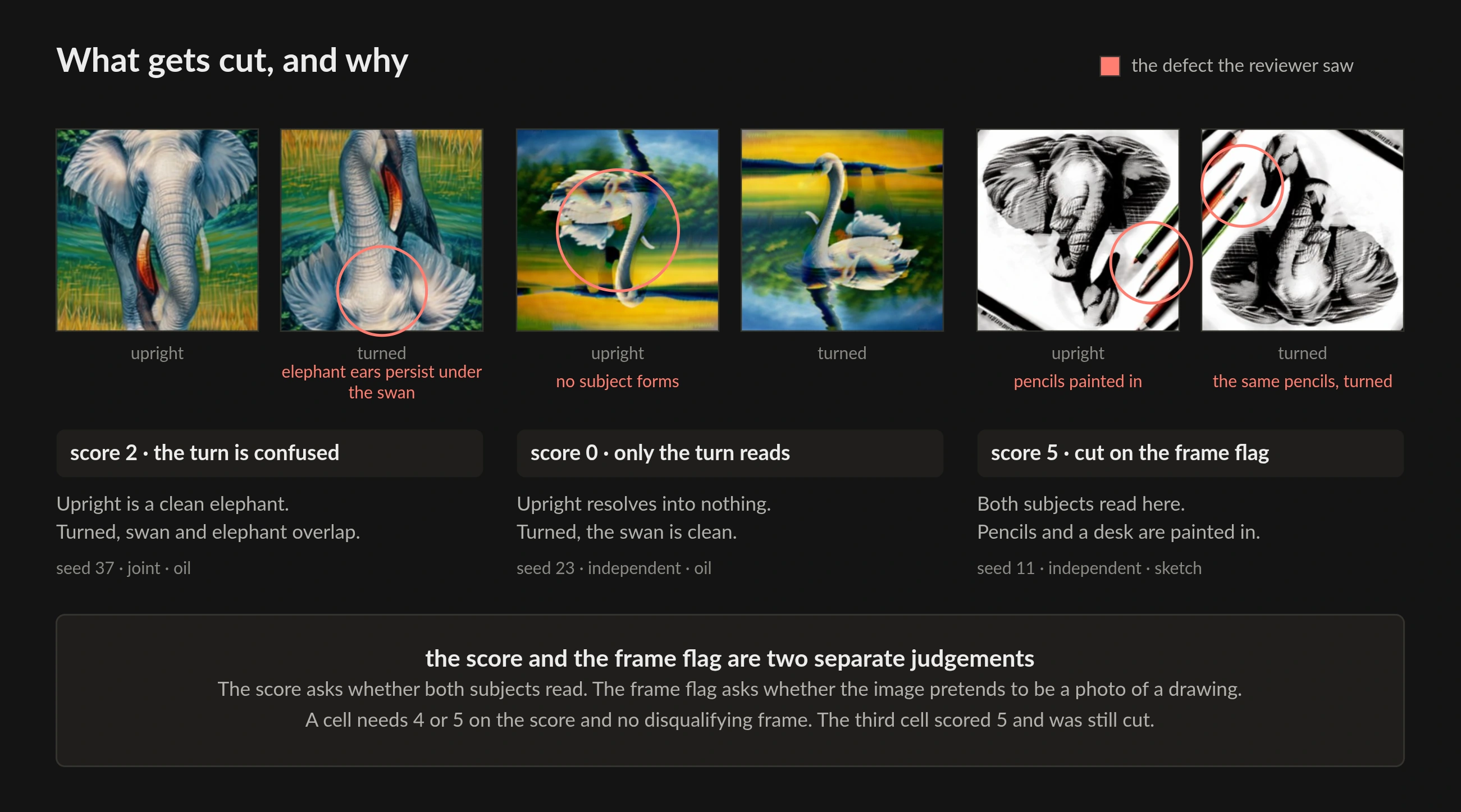
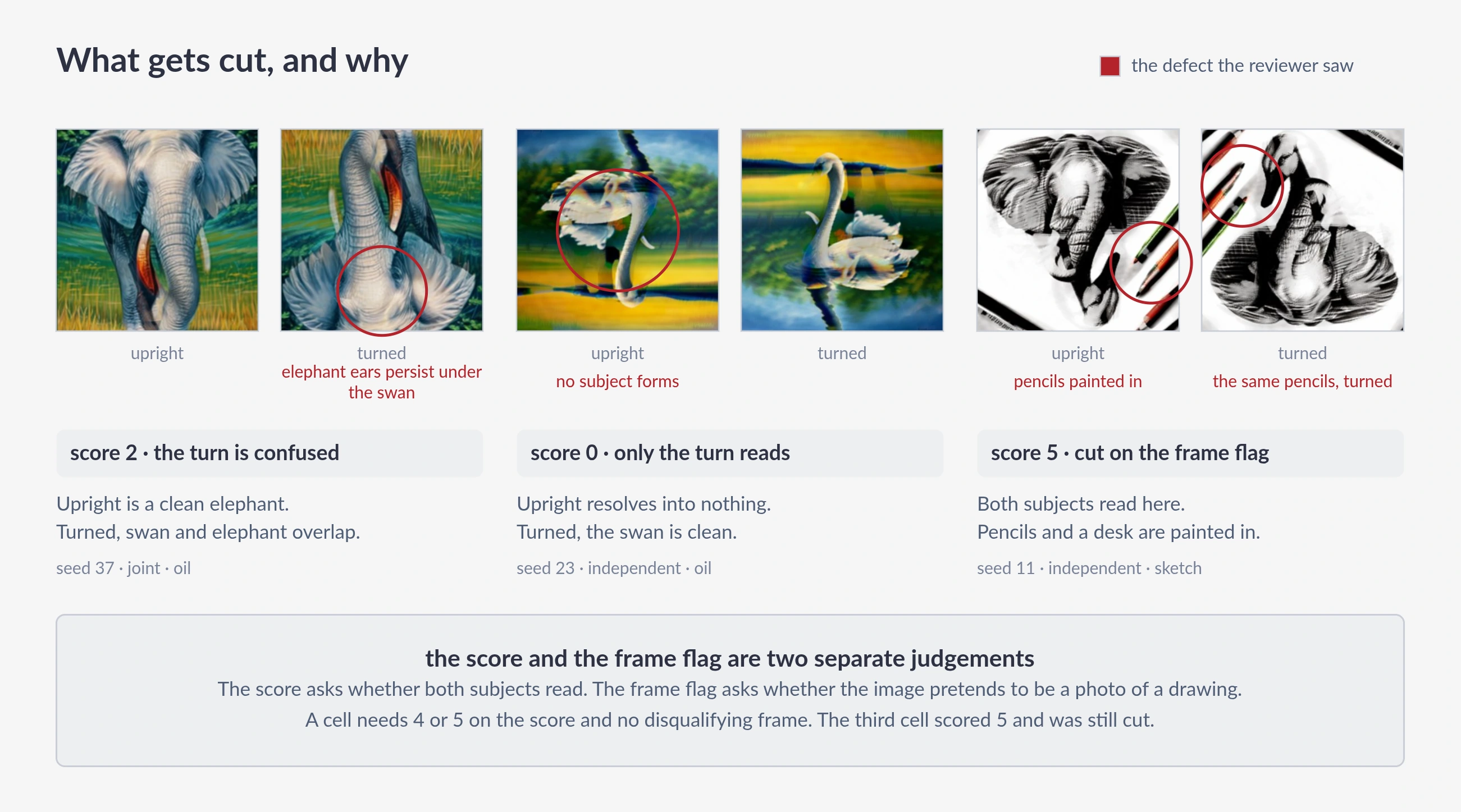
A good result is a specific pair, seed, and viewing mode. It is not a recipe that works every time. We pick keepers by eye. An automatic CLIP screen failed. Its ROC-AUC was 0.706 against a 0.75 bar. So we do not use it.
Prompt wording is the biggest lever. Arguments do not predict it. Frames and extra objects come from the specific phrase. They do not come from sketch versus oil as a medium. We kept oil for color and for fewer photographic frames. We did not keep oil because it won on yield.
We rejected negative prompts. Extra Dream rounds after the first did not help: in one run, readable images fell from 35 to 25 of 182, though a later test did not clear the bar we set to call the drop real. 256 px primes were enough. 512 px cost about 3.3 times as much for no visible gain. That is the prime render resolution, not the Score Distillation ladder.
These conclusions came after the gallery was baked. The 14 keepers in the gallery span both wordings and both styles. 11 of 14 used joint Dream. The rest used independent targets. Export window2-2026-08-clean.
How to print it
For flip, print the prime on paper. Turn the sheet around. Laser output is enough for a desk test. Rotate and hidden types need transparency film and a backlight. They are not on this page.

Not in the studio yet
There is no illusion job in the API. There is no designer in the app. The optimizer is a worker CLI on an unmerged branch. This page is the public study of that research.
When jobs land, they will sit behind realtime drawing sessions. Other batch work sits there too. Until then, the live product is still the canvas loop in the whitepaper.
A typeset paper can follow. This page is the public study until then.
Images generated with Stable Diffusion 1.5 and DreamShaper LCM (CreativeML Open RAIL-M).